

Quantity-based substitutions
What are quantity-based substitutions?
Instead of replacing one item with one item, you can substitute using multiple units of another product.
This is useful when you sell products in different sizes or pack quantities—for example, replacing a 12-pack with two 6-packs.
Example:
1 × Large Pack → 2 × Small Pack
How to enable quantity substitutions
Open a substitution rule
Enable Quantity-based substitutions
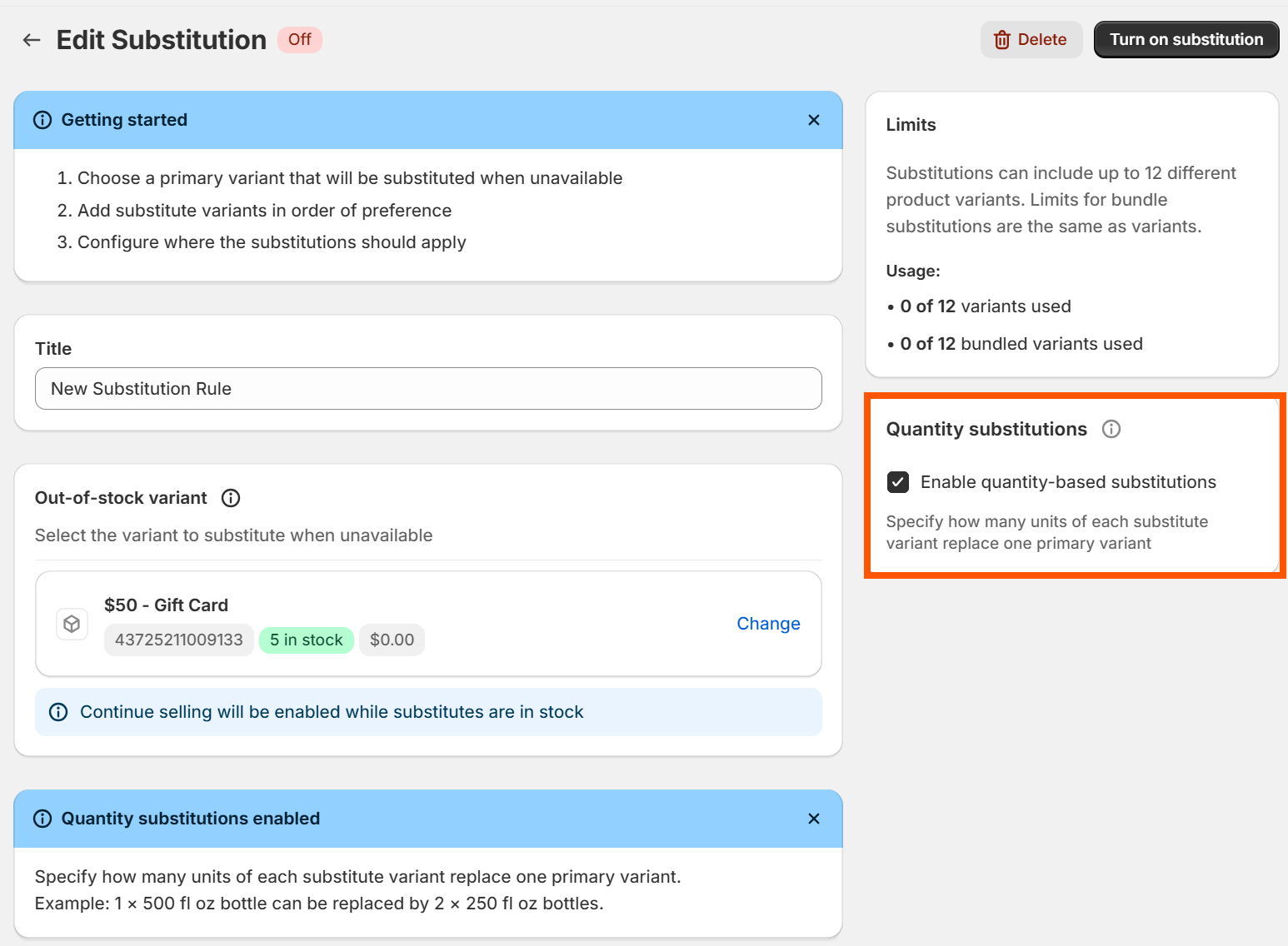
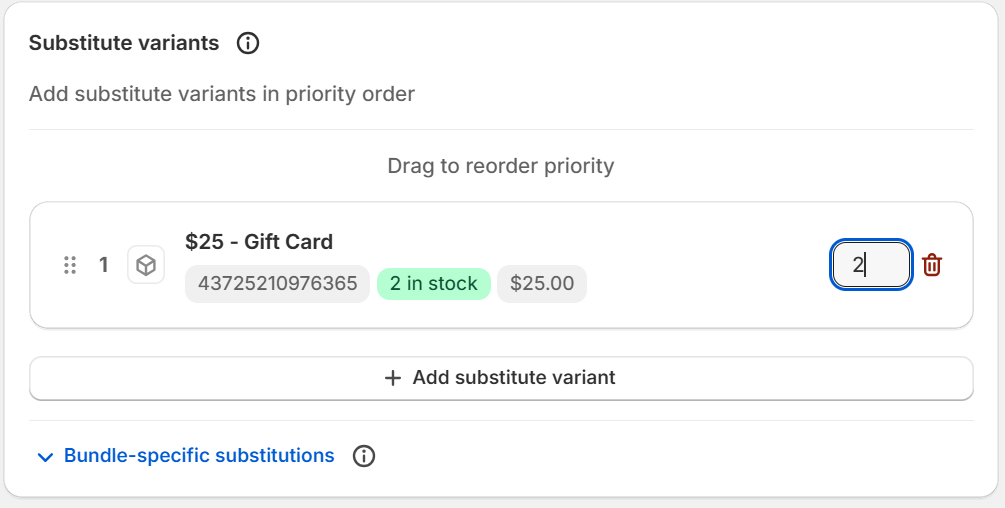
Set the quantity for each substitute variant (if there is more than one)
How pricing works
The customer pays the original item's price. If the substitute total costs more or less, the difference is absorbed by you or passed as margin—review your pricing to ensure substitutes make sense financially.
Good to know
Quantities must be at least 1
Quantity-based substitutions are available on paid plans
Priority rules still apply—if multiple substitutes are set, the first available is used