

Create your first substitution
What is a substitution?
A substitution automatically replaces an out-of-stock variant with an alternative you choose. You keep the sale, and your customer still gets what they need.
How to create one
Click Create substitution
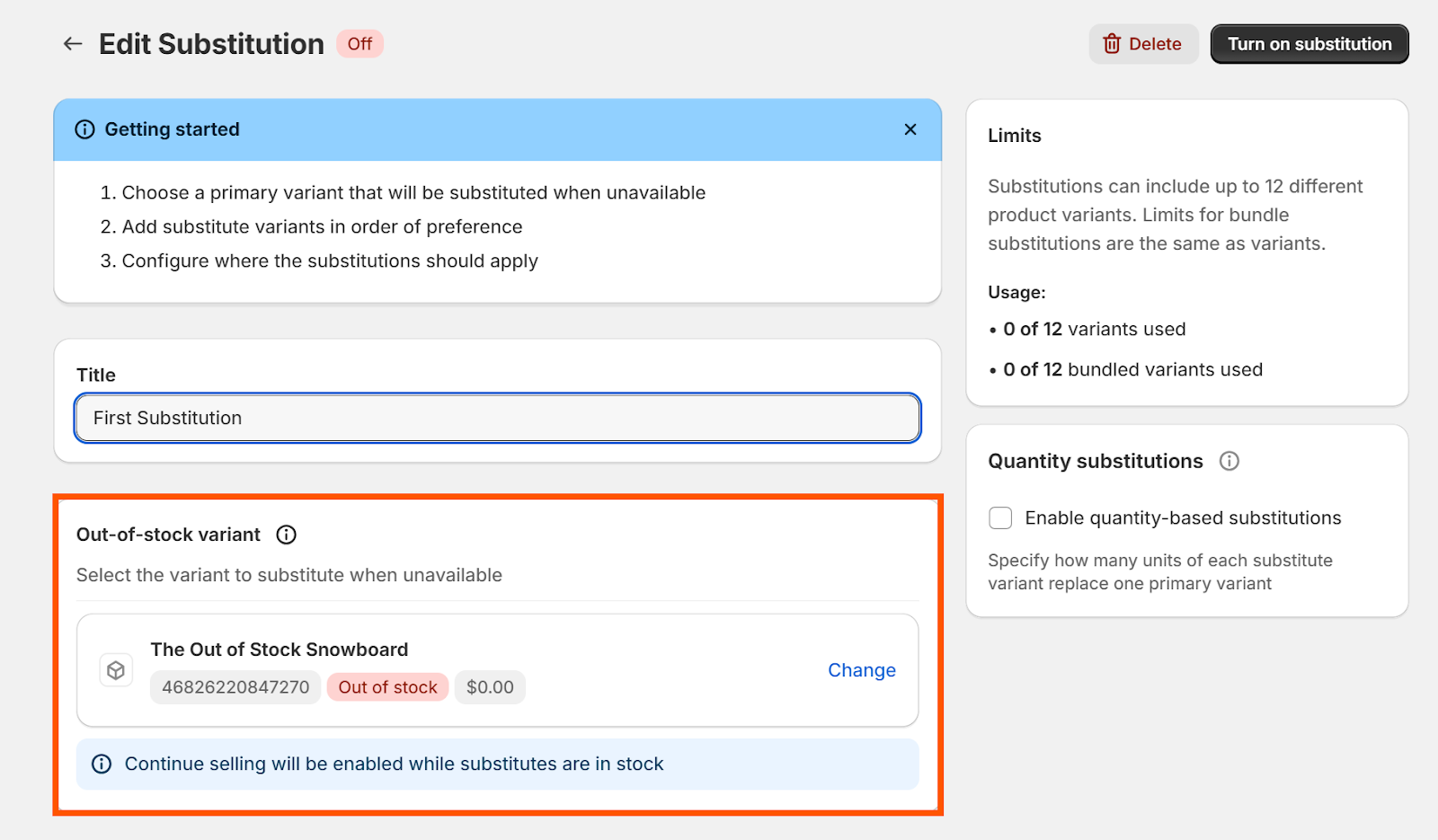
Select the out-of-stock variant
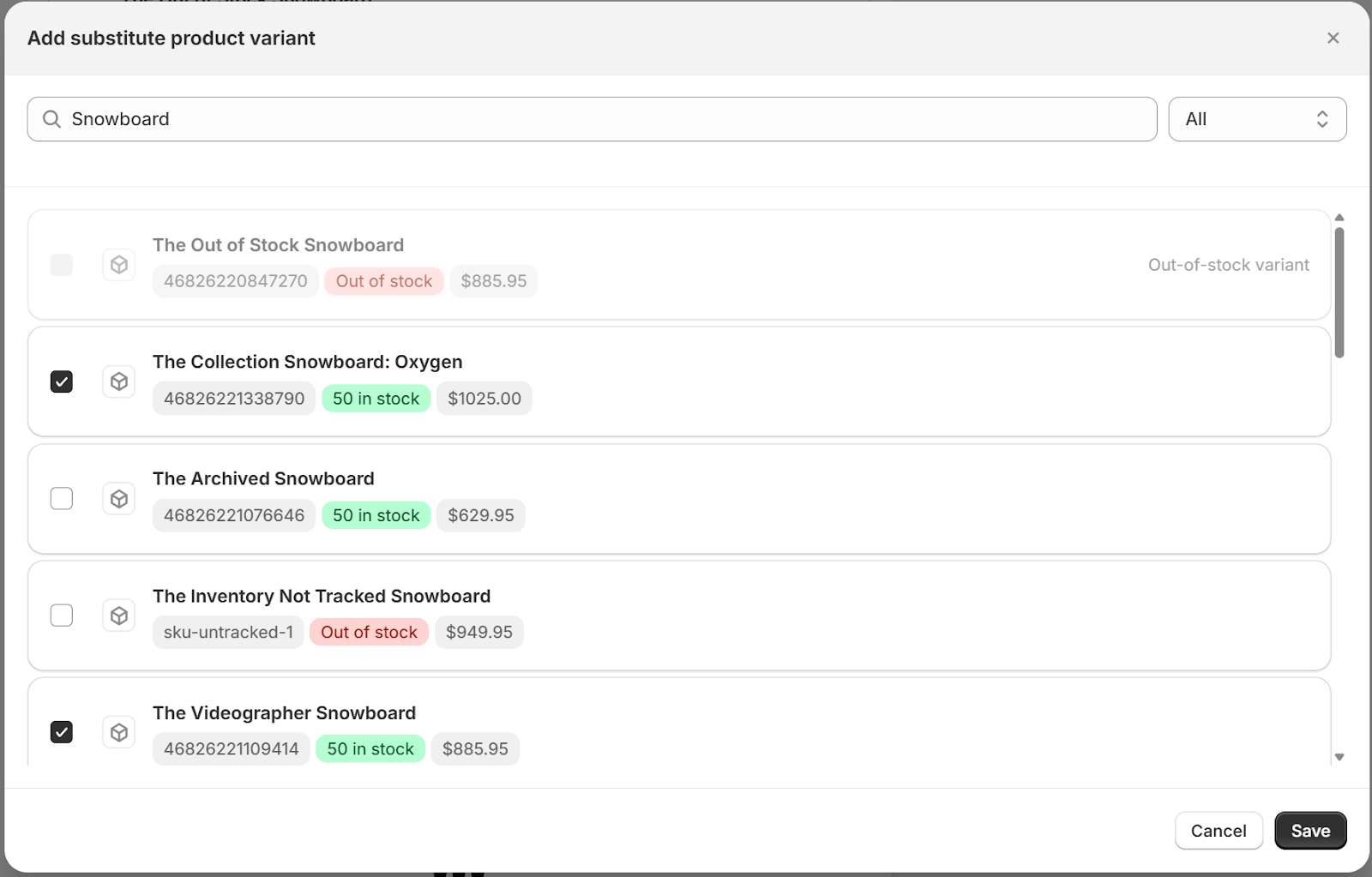
Add one or more substitute variants
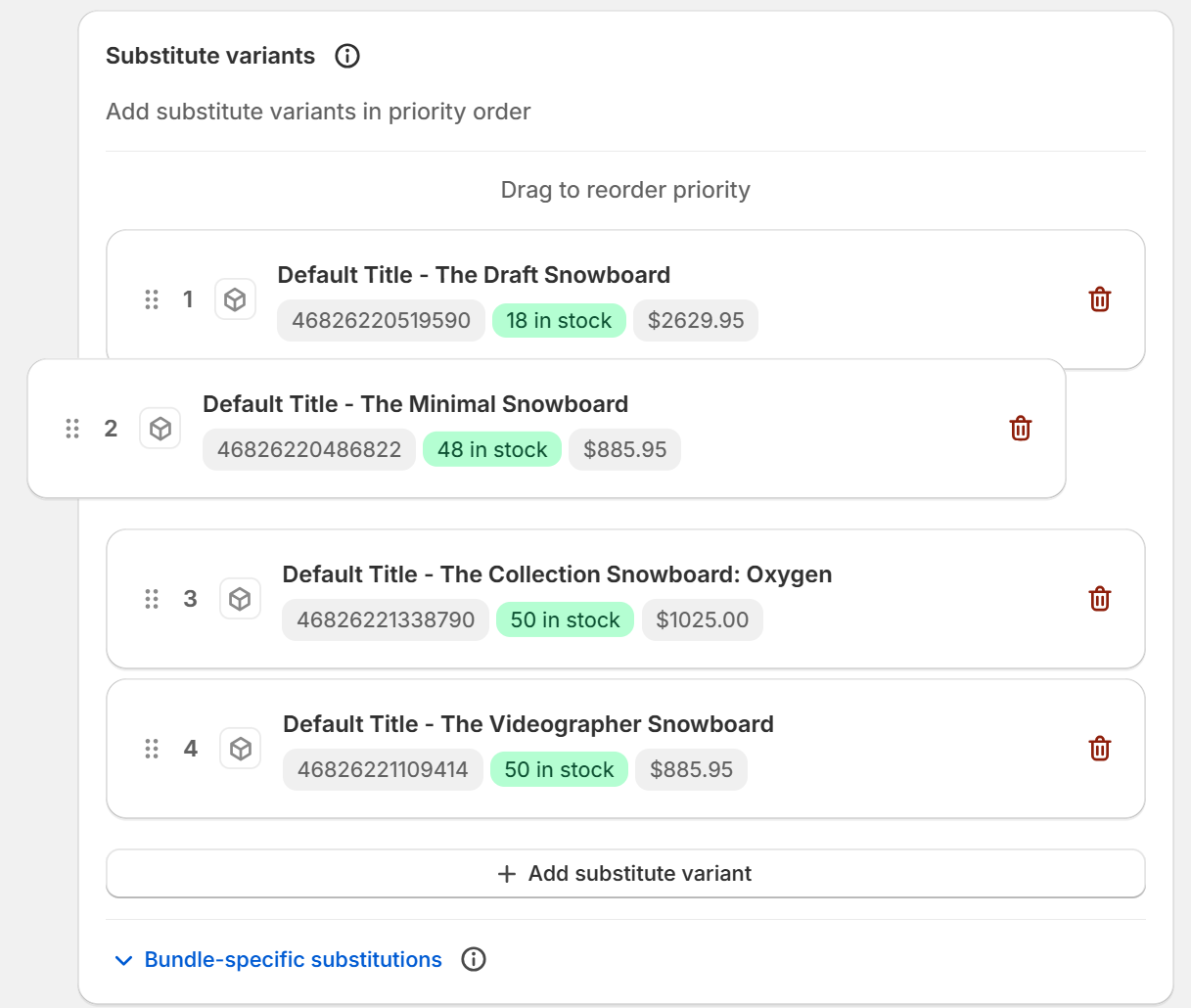
Arrange substitutes by drag-and-drop priority (first available wins)
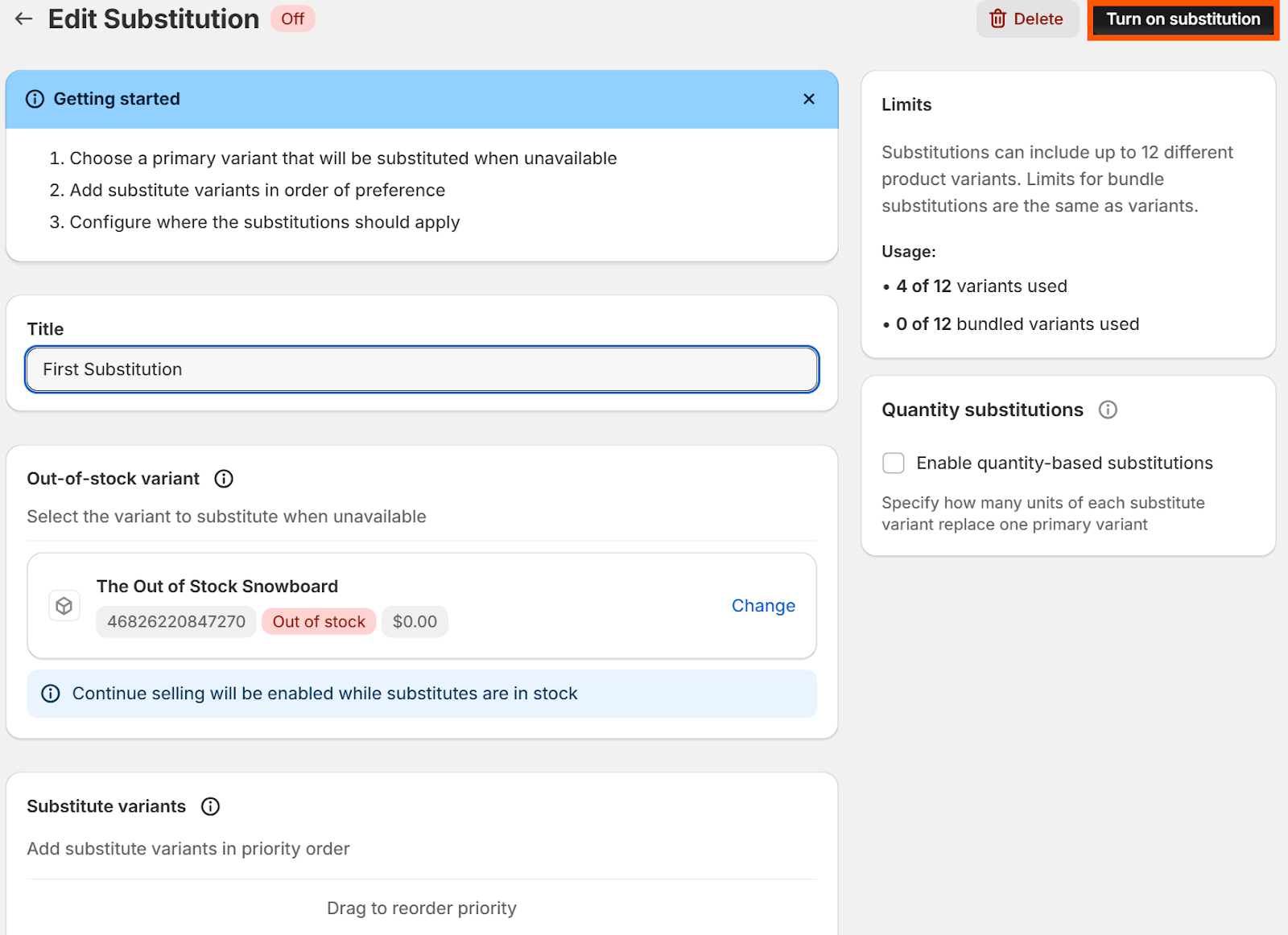
Turn on the substitution
What happens next?
When the primary variant goes out of stock, the app swaps in your substitute automatically at checkout. Customers see the substitute in their cart—no extra steps for them or you.
You can deactivate or delete any substitution rule from your dashboard.
Tips for Success
Maintain Relevant Substitutions: Ensure that substitute variants are the same or very similar to the original to decrease the likelihood of a customer complaint or dissatisfaction (e.g. it's the same color, size and price).
Update Substitutions Regularly: Regularly update your substitution groups to reflect changes in your product lineup or inventory strategy.
Setting up substitution groups can minimize missed sales opportunities and ensure your customers always have an available option, improving overall satisfaction.