

How substitutions work
When are substitutions triggered?
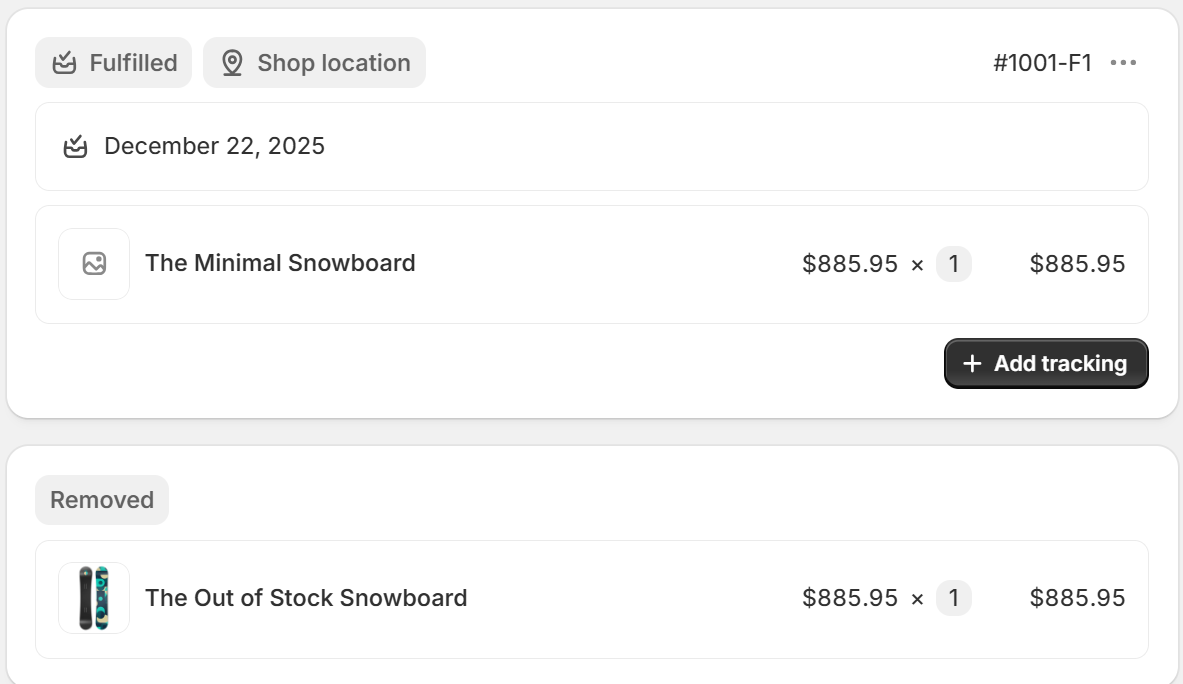
Substitutions are applied after checkout, during order processing. When an order contains an out-of-stock variant:
The app checks your substitution rules
If a substitute is available, it replaces the out-of-stock item in the order
The order is updated automatically for fulfillment
Priority rules
If you've added multiple substitutes, the app tries them in order:
First substitute is checked
If unavailable, the next one is tried
This continues until an available substitute is found
If all substitutes are also out of stock, the original item remains on the order.
What customers experience
Nothing changes on the customer's end—they complete checkout normally. The substitution happens behind the scenes, and only you see the activity on the order screen and our log.
How inventory settings are managed
When you activate a substitution rule, the app automatically enables "Continue selling when out of stock" on the primary variant. This allows customers to still purchase it, knowing a substitute will be fulfilled.
If all substitute variants become unavailable, the app automatically disables this flag to prevent orders that can't be fulfilled.