

Bundle substitutions
What are bundle substitutions?
Bundle substitutions let you apply substitution rules to individual items inside a product bundle. If a bundle contains an out-of-stock component, the app can replace just that item while keeping the rest of the bundle intact.
Example: A gift set contains Candle A, Soap B, and Lotion C. If Soap B is out of stock, it's automatically swapped with Soap D—the rest of the bundle ships as expected.
How bundle substitutions work
Bundles are evaluated item by item after checkout
If a bundled variant is out of stock, the app checks for a matching substitution rule
The first available substitute is used automatically
All other bundle components remain unchanged
How to set up a bundle substitution
Bundle-specific substitution rules are configured in the substitution edit screen. Create a rule for the variant that may go out of stock—when that variant appears in a bundle, the rule applies.
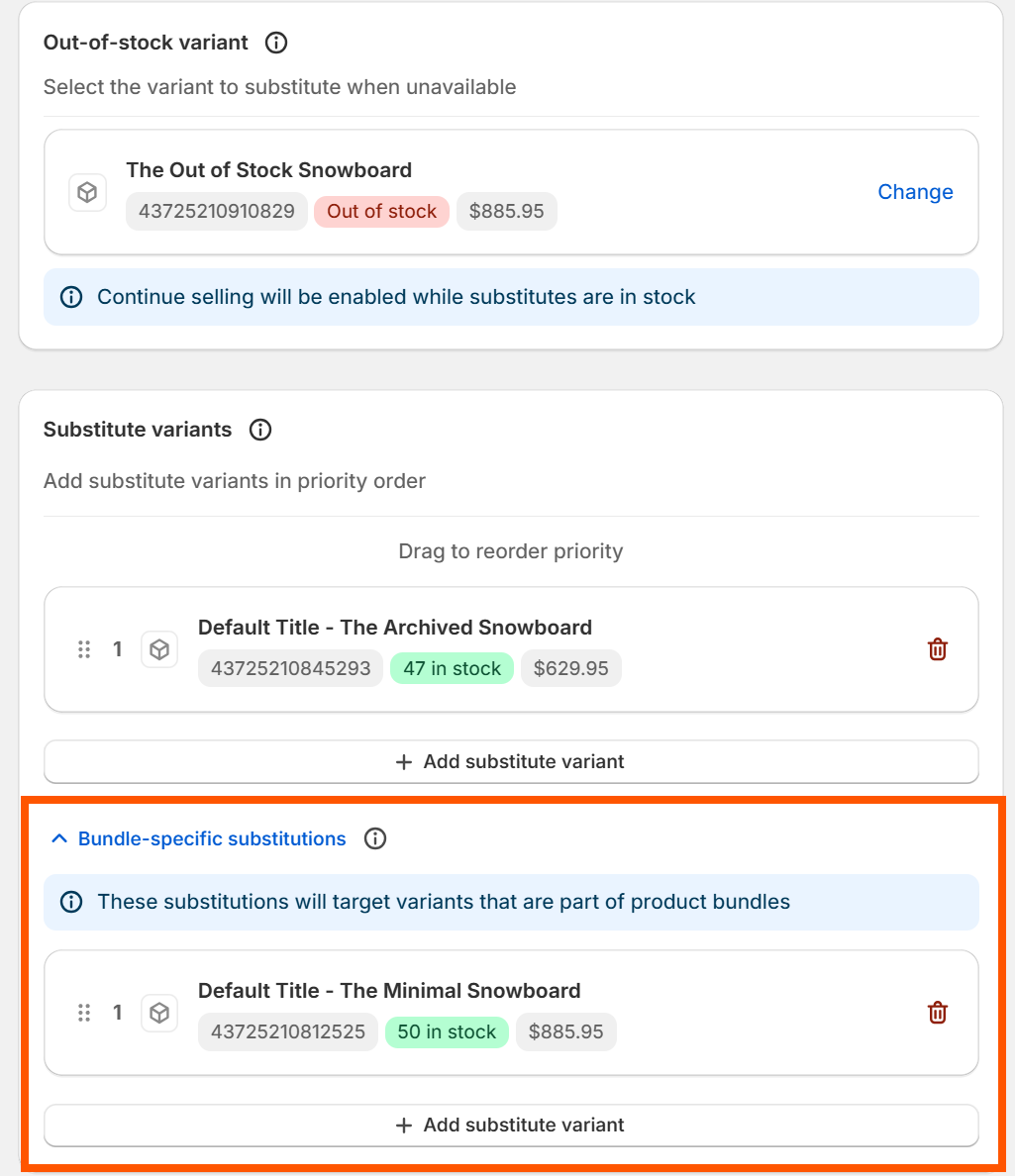
Important: Always pair with a variant substitution
When you activate a bundle substitution, the app enables "Continue selling when out of stock" on that variant. However, Shopify does not distinguish between a variant sold individually and one sold as part of a bundle.
This means the variant will remain available for individual purchase too—even if you only intended the rule for bundles.
Recommendation: Always create a standard variant substitution alongside any bundle substitution. This ensures the variant is covered whether a customer buys it on its own or as part of a bundle.
Good to know
Bundle substitutions are available on paid plans
Standard priority rules apply—if multiple substitutes exist, the first available is used